Jira Service Management offers a range of features designed to streamline workflows and improve efficiency. One such feature is the ‘Affected Services’ functionality. This feature plays a crucial role in change requests and incident management within the platform.
The ‘Affected Services’ functionality offers several benefits:
- Improved Visibility: The ‘Affected Services’ functionality provides a clear overview of the services impacted by a change. This increased visibility allows teams to better understand the scope and potential impact of a change, leading to more informed decision-making.
- Enhanced Change Management: By identifying the services affected by a change, teams can more effectively manage and coordinate changes. This can lead to reduced downtime, fewer errors, and a smoother change implementation process.
- Better Incident Management: The ‘Affected Services’ functionality can also play a crucial role in incident management. By linking incidents to the services they affect, teams can more quickly identify and resolve issues, minimizing disruption to services.
- Increased Efficiency: By automating the process of identifying affected services, teams can save time and reduce the risk of errors. This increased efficiency can lead to cost savings and improved service quality.
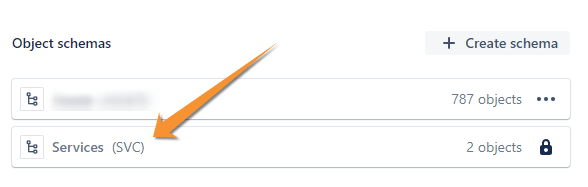
This functionality was recently brought over from Opsgenie (along with many others), and the list of Services is stored in the Assets feature under an Object Scheme called Services. You cannot create new types of objects in this Object Scheme, but these objects can be referenced within new Object Schemes created by you.
The ‘Affected Services’ field is also linked to other services, allowing you to set dependencies.
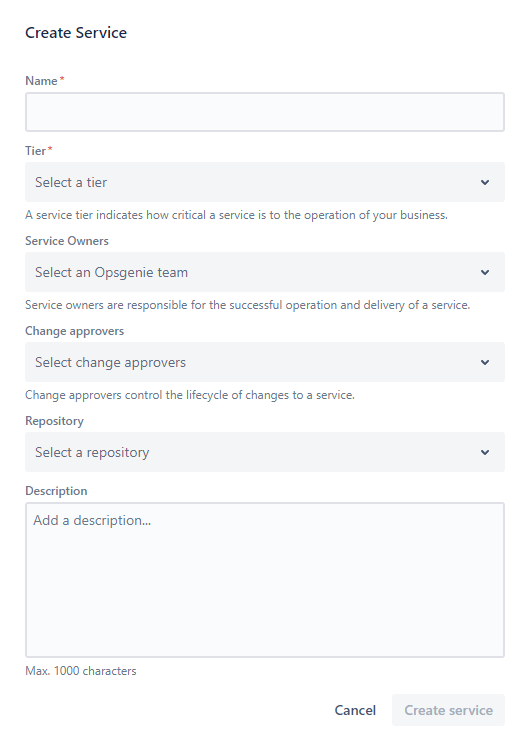
When creating a service you can also set:
- Service tier: The level of importance of the service for the organization.
- Service owners: The team from OpsGenie.
- Change Approvers: You can adda Jira Group as approvers if there is a change request affecting the service.
- Link it to a repository to investigate potential causes of the created incident associated with this service.1
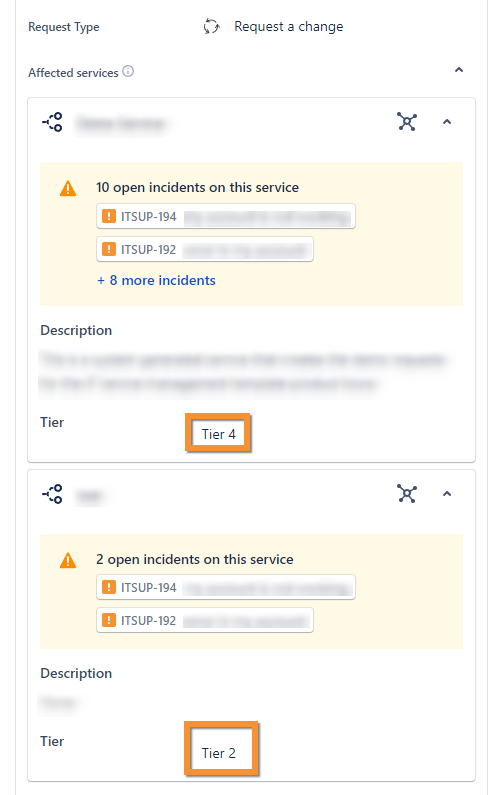
Once you have your list of services added to the Jira issue, many pieces of information will be useful to help you resolve incidents and reduce the risk of changes.
You will be able to view a list of open incidents related to the affected service, including the service tier.
For Changes
A new panel is now being displayed within the change, showing the following information:
- Risk Summary: This section provides an overview of the potential risks associated with the change. It helps change managers assess the impact and likelihood of risks, enabling them to take necessary precautions or alter the change plan if needed.
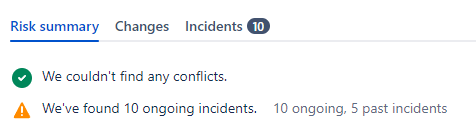
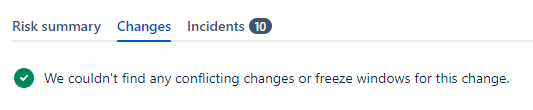
- Changes: This section indicates whether there are any conflicts with the change. Conflicts could be schedule overlaps with other changes, resource clashes, or anything that could hinder the successful implementation of the change.
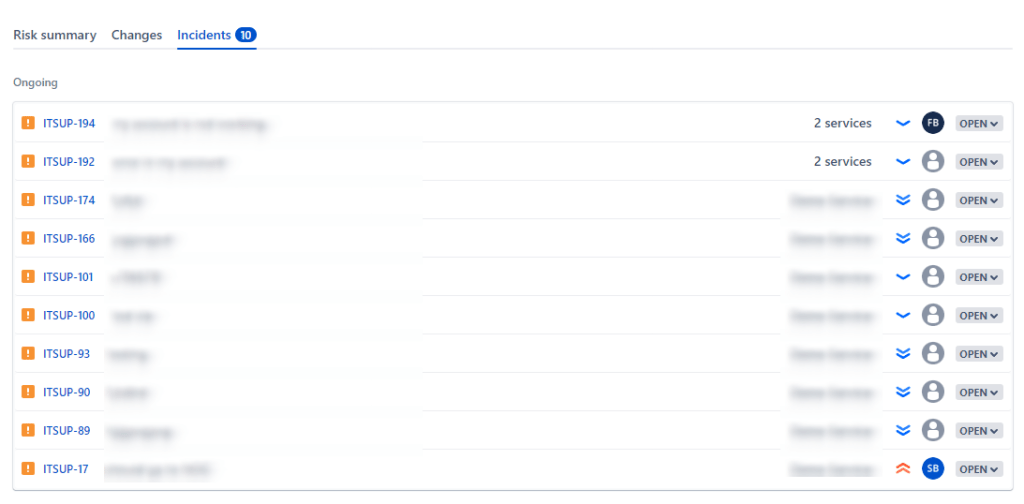
- Incidents: This section shows the number of ongoing and past incidents related to the service. An incident refers to an event that causes disruption to a service or reduces its quality. By reviewing this section, change managers can understand the stability of the service and anticipate potential issues that might arise from the change.
For Incidents
This panel provides a summary of changes that have been made on the affected services.

It displays the issue key of the change, the list of services that are affected by the change, as well as the status of the change.
This panel is extremely useful as it allows you to track the progress of changes on your services. By providing a clear overview of what changes have been made, who made them, and what services were affected, it helps you manage more effectively.
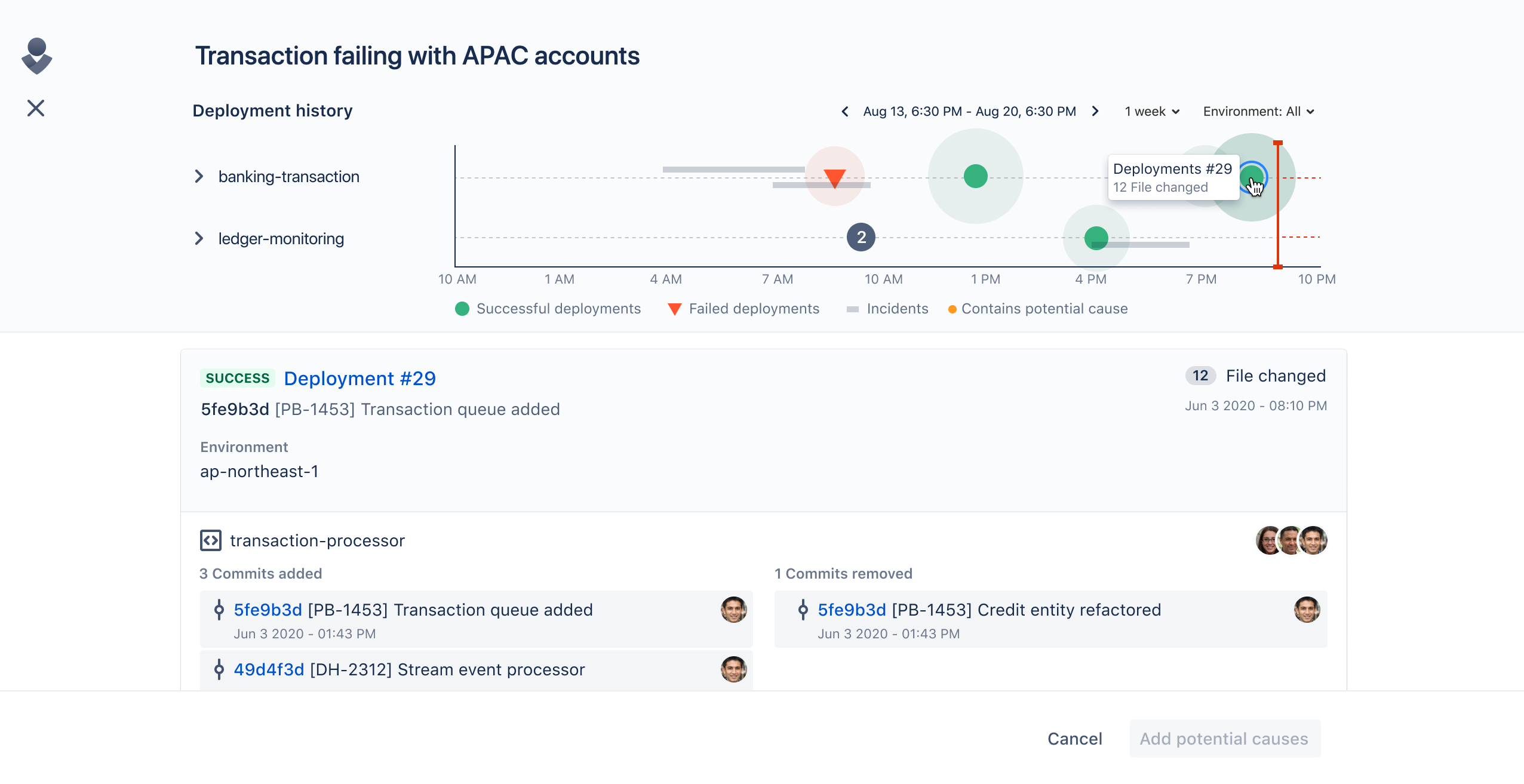
And finally, you can investigate the possible causes of that incident.

If you are using the Bitbucket platform for project management and your team is performing deployments through this tool, you have the ability to investigate the possible deploys that may be impacting a specific service by checking the timeline presented by the module.
Conclusion
The ‘Affected Services’ feature in Jira Service Management is a powerful tool for improving workflow efficiency and incident management. It enhances visibility, simplifies change and incident management, automates tasks, and offers seamless integration with other services, including Bitbucket for deployment tracking. This feature is a valuable asset for organizations seeking to streamline their operations, reduce errors, and deliver high-quality services consistently.
- Incident investigation and all its features are only available on Standard and Enterprise plans. ↩︎
 Atlassian Expert Tips