- Create a LAMBDA function
- The Python code
- Create the API Gateway
- Create the package to upload as a Layer in AWS
- Import external Request library to python
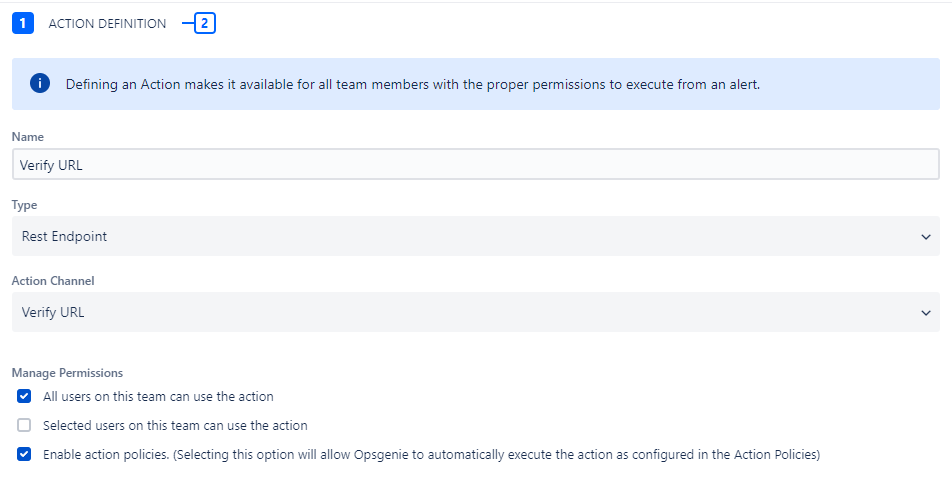
- Create the Action in Opsgenie
- Create the Alert
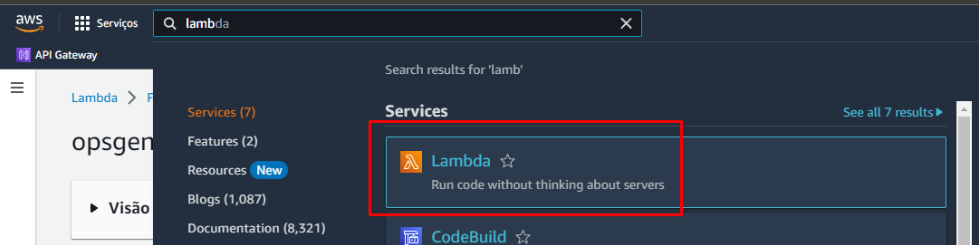
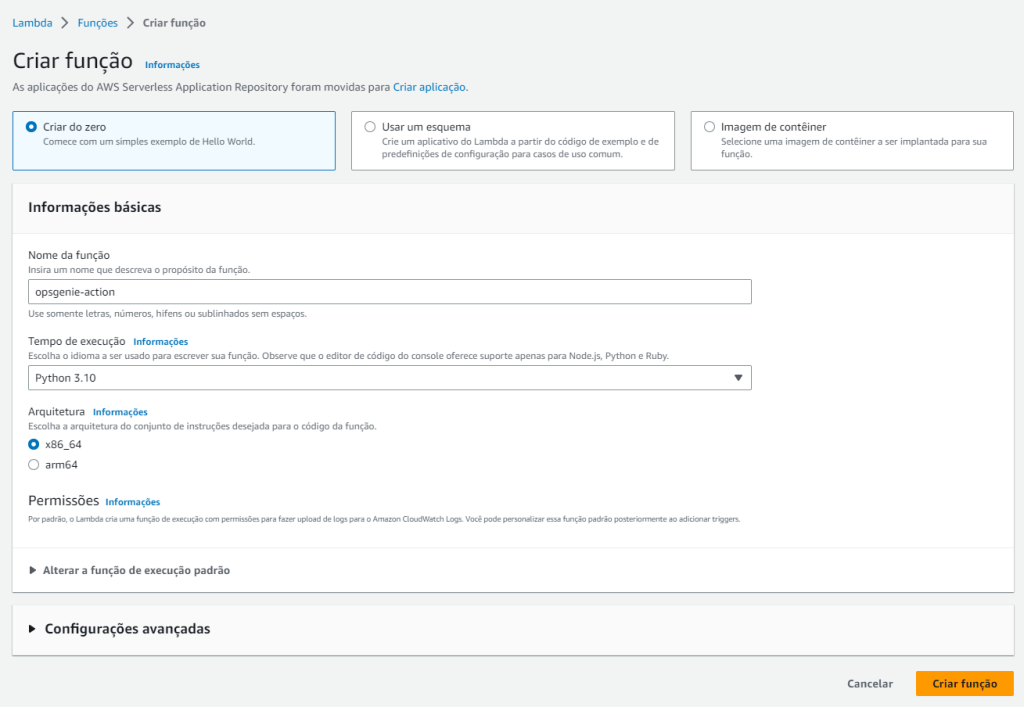
Create a LAMBDA function
- Name: opsgenie
- Language: Python 3.10
- Architecture: x86_64
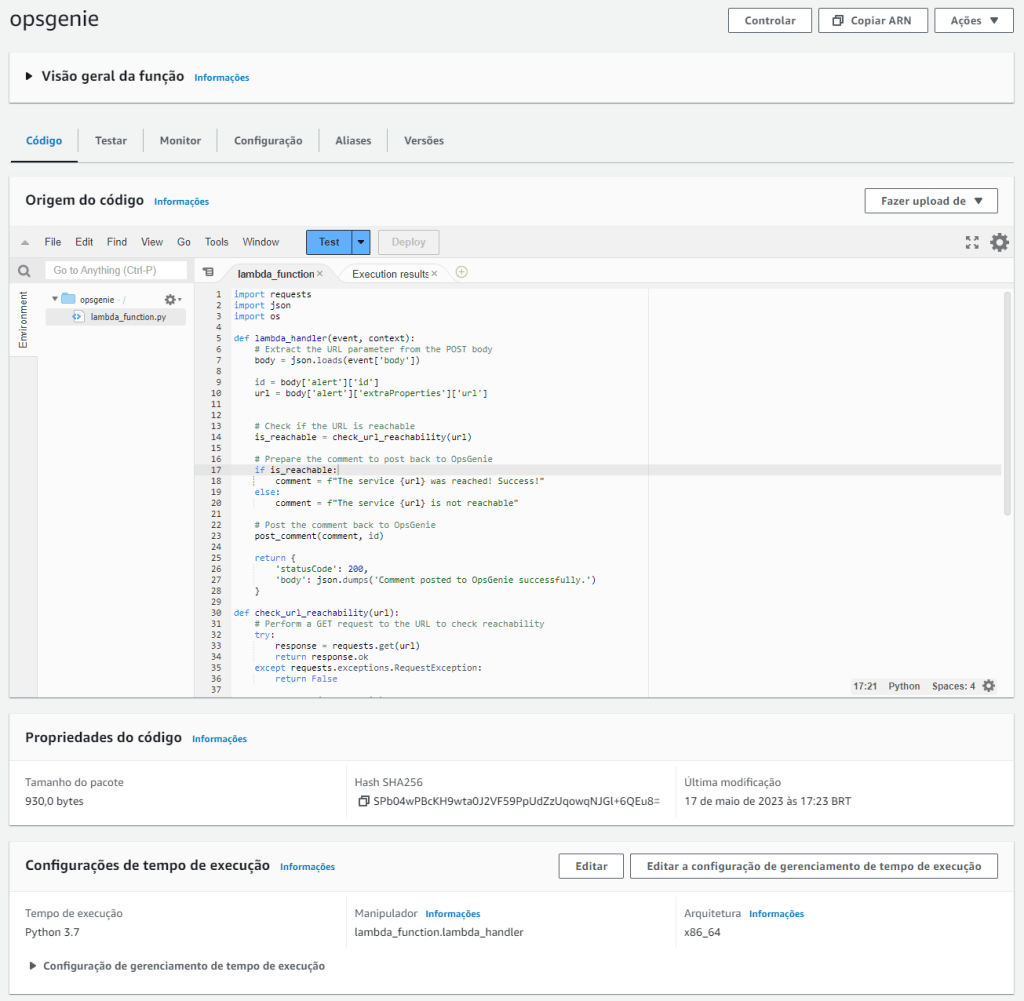
The Python code
import requests
import json
import os

def lambda_handler(event, context):
    # Extract the URL parameter from the POST body
    body = json.loads(event['body'])

    id = body['alert']['id']
    url = body['alert']['extraProperties']['url']


    # Check if the URL is reachable
    is_reachable = check_url_reachability(url)

    # Prepare the comment to post back to OpsGenie
    if is_reachable:
        comment = f"The service {url} was reached! Success!"
    else:
        comment = f"The service {url} is not reachable"

    # Post the comment back to OpsGenie
    post_comment(comment, id)

    return {
        'statusCode': 200,
        'body': json.dumps('Comment posted to OpsGenie successfully.')
    }

def check_url_reachability(url):
    # Perform a GET request to the URL to check reachability
    try:
        response = requests.get(url)
        return response.ok
    except requests.exceptions.RequestException:
        return False

def post_comment(comment, id):
    # Prepare the OpsGenie API endpoint URL
    api_url = f'https://api.opsgenie.com/v2/alerts/{id}/notes?identifierType=id'

    # Extract the OpsGenie API key from environment variables
    api_key = "3be3297a-c2d9-4910-999c-93c011c5bd65"

    # Prepare the request headers
    headers = {
        'Content-Type': 'application/json',
        'Authorization': f'GenieKey {api_key}'
    }

    # Prepare the request payload
    payload = {
        "user":"Monitoring Script",
        "source":"AWS Lambda",
        "note": comment
    }

    # Make the API request to post the comment
    response = requests.post(api_url, headers=headers, json=payload)

    # Check if the request was successful
    if response.status_code == 201:
        print('Comment posted to OpsGenie successfully.')
    else:
        print('Failed to post comment to OpsGenie.')
You should see something like this:
Create the API Gateway
Find API Gateway
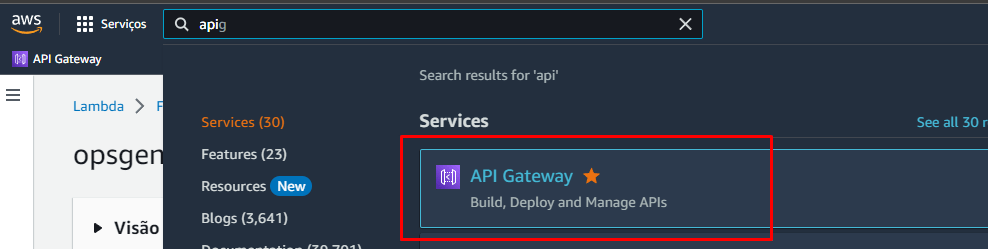
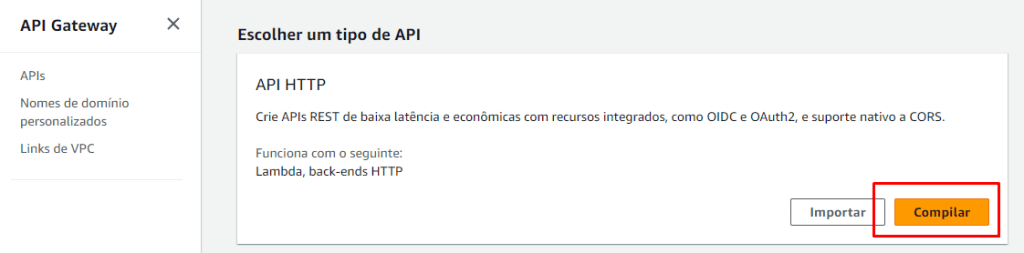
Click in Create API

Click in Compile
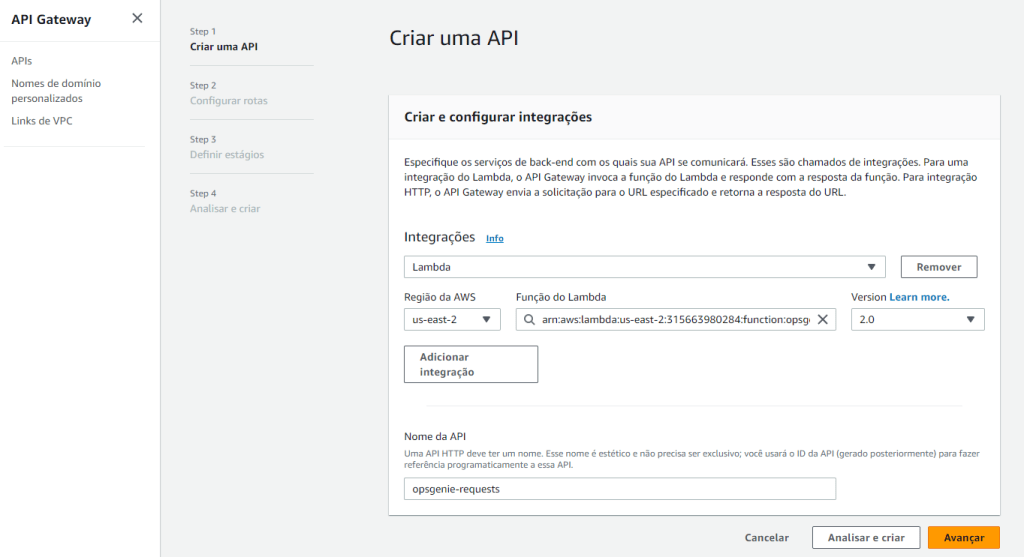
Click in Add integratation and select Lambda
Select your Lambda function previously created and give it a name
Configure the route to receive POST
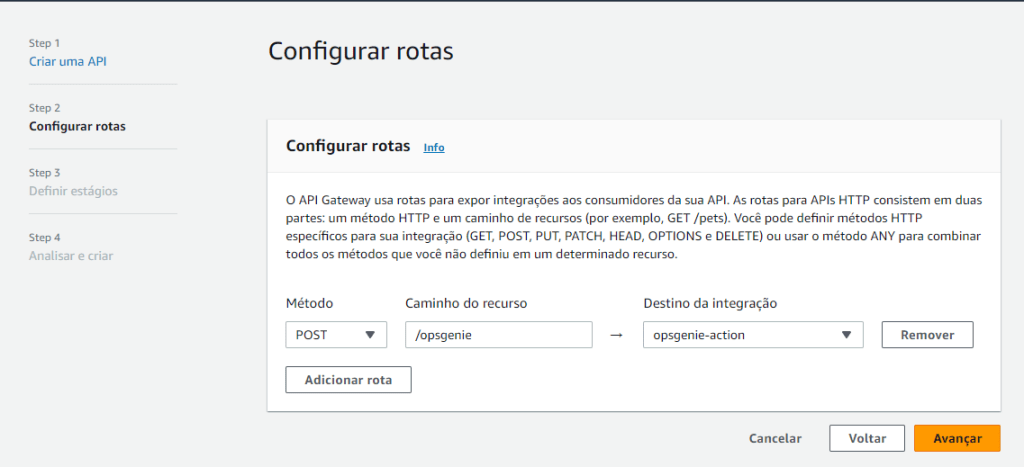
Leave this information as default
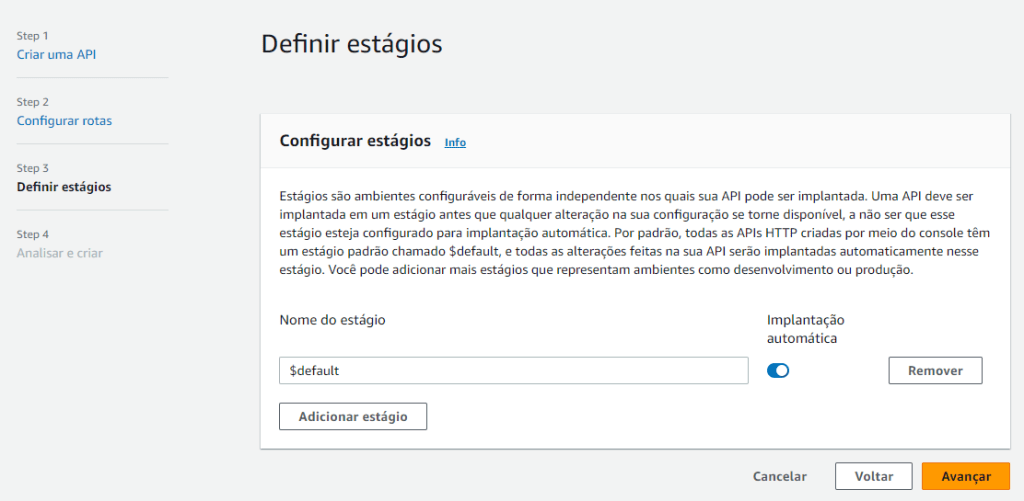
Confirm and create
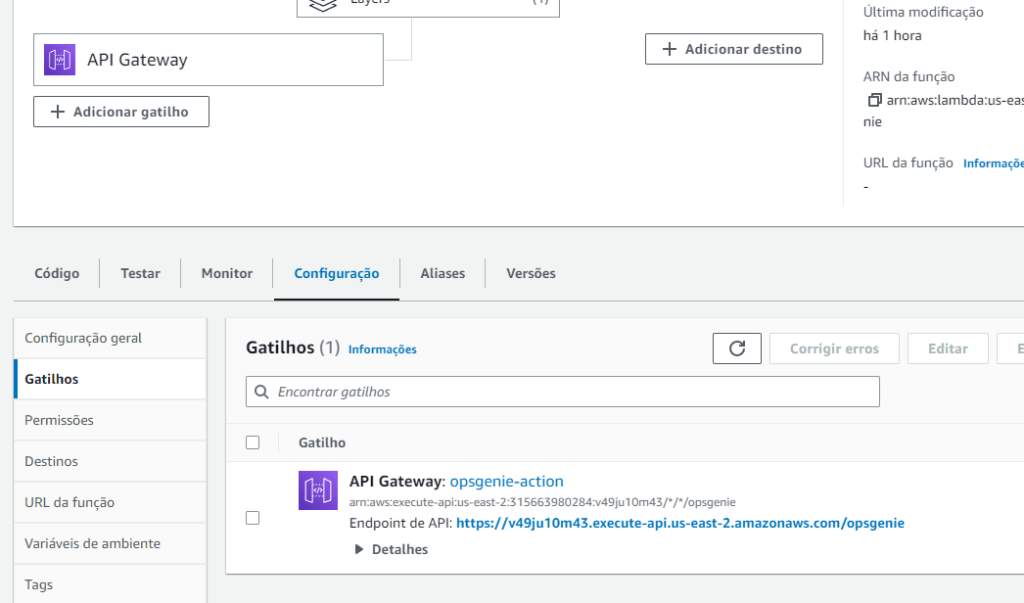
When you click in the API Gateway icon you will see the URL that you will use in OpsGenie
Create the package to upload as a Layer in AWS
Create a folder ie: opsgenie
Run this command inside the folder using your prompt: pip install requests -t
Zip all the folders inside of this opsgenie folder
Here is the final zip file:
Import external Request library to python
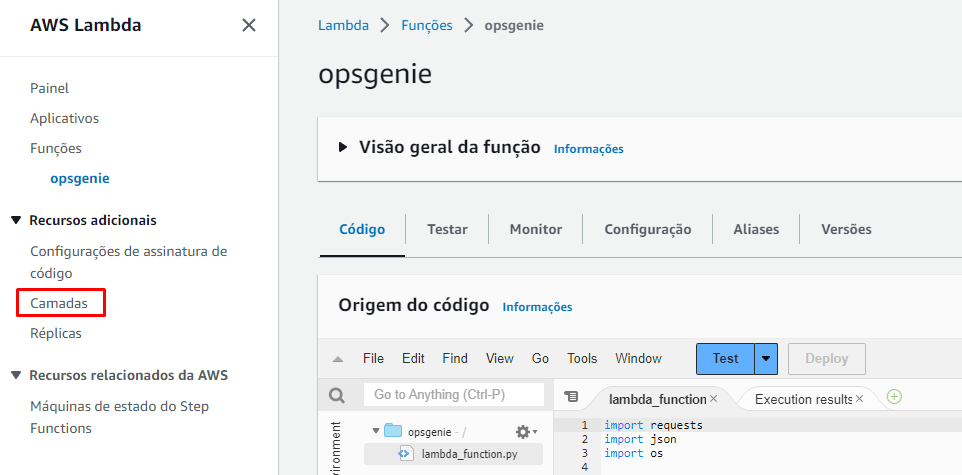
To use library “requests”, you will need to upload this as a standalone library and import as a layer
Click in Layers
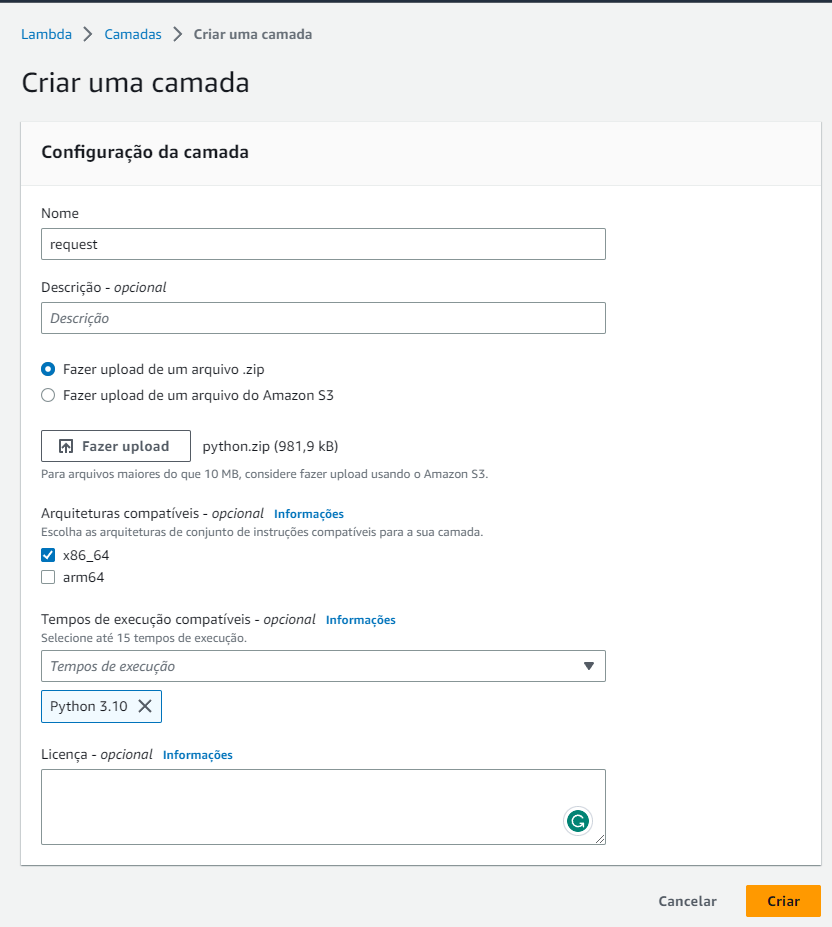
Upload your zip file
- Name: request
- Language: Python 3.10
- Architecture: x86_64
Back to your Lambda, click in Add Layer
Chose “Personalized Layer”
Find the layer you previously created and the version (probably it will be 1)
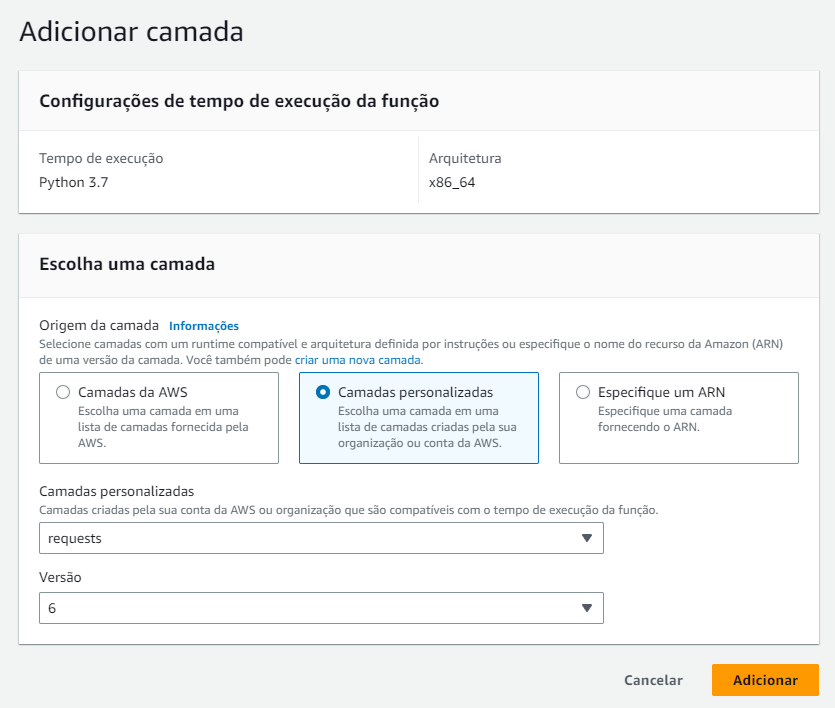
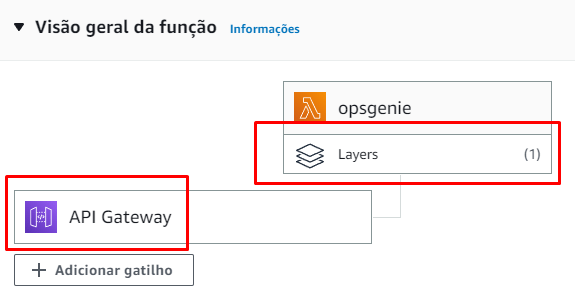
Your Workflow should look like this:
Create the Action in Opsgenie
Action channel
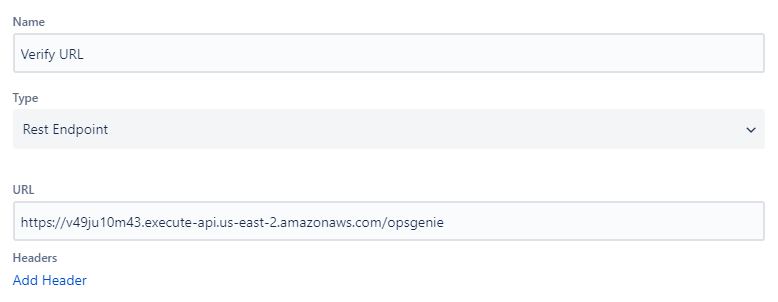
Manage actions
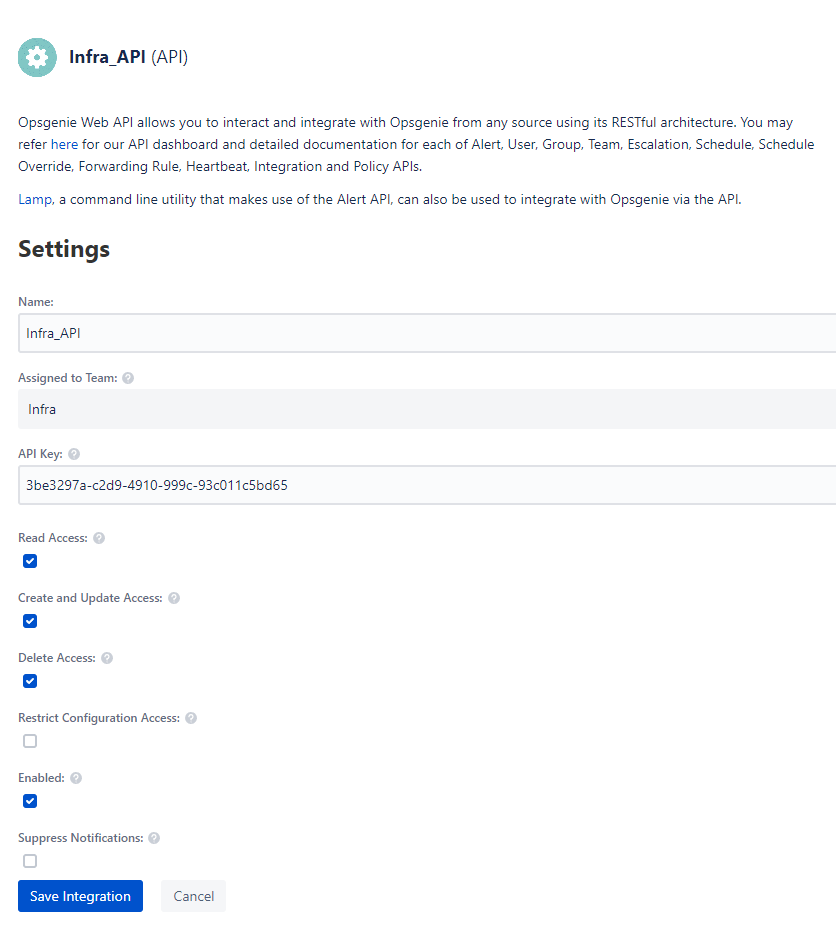
Create an integration inside the Team to get the API Key to use in the script.
Create the Alert
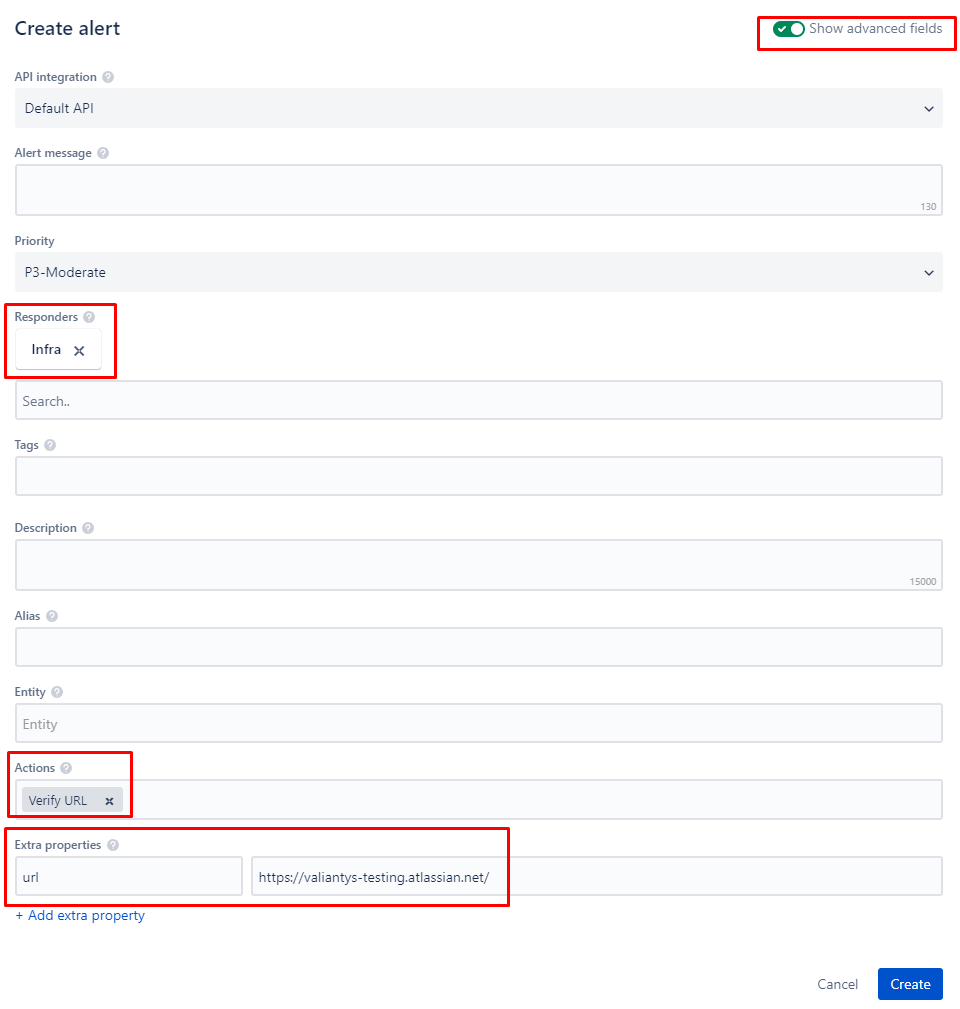
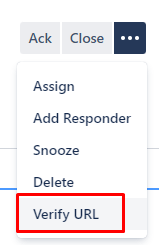
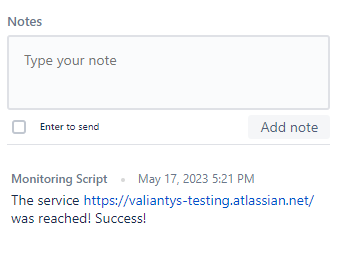
If everything is correct, you should see the Button Verify URL. When you click ir, the Lambda function will the triggered, and a note will be ladded saying if the URL is reached or not
 Atlassian Expert Tips