
In the quest for streamlining workflows, Jira Automation stands as a powerhouse for operational efficiency. However, even the most refined systems can encounter hiccups. A case in point is the automation rule for reopening tickets upon new comments – a process that, while useful, can backfire when a simple “thank you” from a client triggers an unnecessary cycle of reevaluation.
Here’s a common scenario: A ticket is resolved, the customer leaves a comment, and suddenly, the ticket reopens. This could be an efficient way to ensure no issue gets overlooked, but what if the comment was just a word of appreciation? Suddenly, you’re faced with excess workload, revisiting tickets that didn’t need any further action.
The Use Case
Automating ticket re-opening only when necessary.
Enter the age of AI. By integrating Jira Automation with the prowess of ChatGPT, I have crafted a use case that demonstrates a solution to this quandary. ChatGPT can analyze the context of comments, distinguishing between expressions of gratitude and legitimate requests for further assistance.
Here’s How It Works
- A comment on a resolved issue triggers our Jira Automation rule.
- Before any re-opening action is taken, ChatGPT evaluates the comment’s content.
- If the comment is identified as a simple “thank you,” the ticket remains closed.
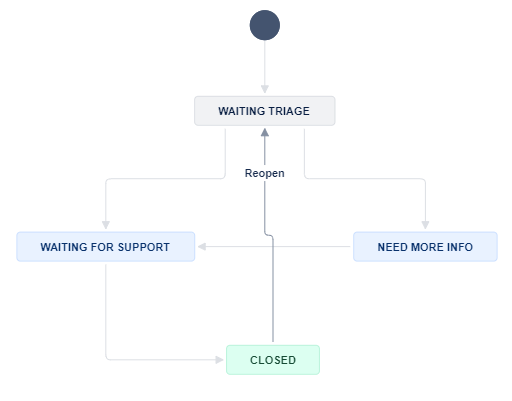
- However, if the need for additional support is detected, the ticket transitions to “Waiting Triage,” signaling it requires attention.
The Automation Rule

- When: Rule is triggered on – The rule is triggered when a comment is made on an issue. This is the event that starts the automation.
- Resolution is resolved – This condition checks if the issue’s resolution is set to “Resolved.” If the issue isn’t resolved, the rule will stop here.
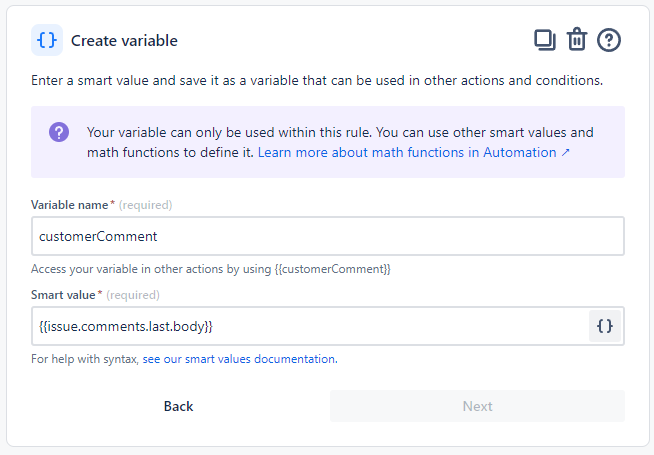
- Then: Create variable – It creates a smart value variable named
{{customerComment}}. This variable will store the content of the comment that triggered the rule. - And: Send web request – The rule sends a POST request to OpenAI. AI evaluates customer comment, if AI identifies that the customer is satisfied with the resolution of their issue, it responds with
<THANKS>, indicating that the ticket can remain Closed. Conversely, if the AI determines that the issue remains unresolved or requires additional follow-up, it responds with<REOPEN>. - And: Add value to the audit log – It takes the response from the web request and logs it into the Jira audit log for record-keeping. .
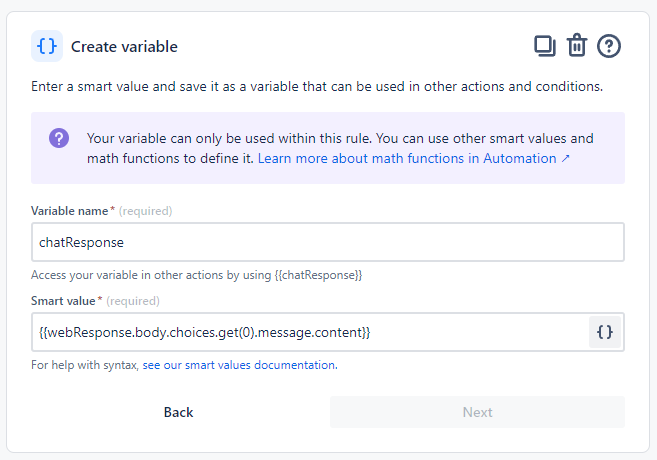
- And: Create variable – Another smart value variable is created, this time named
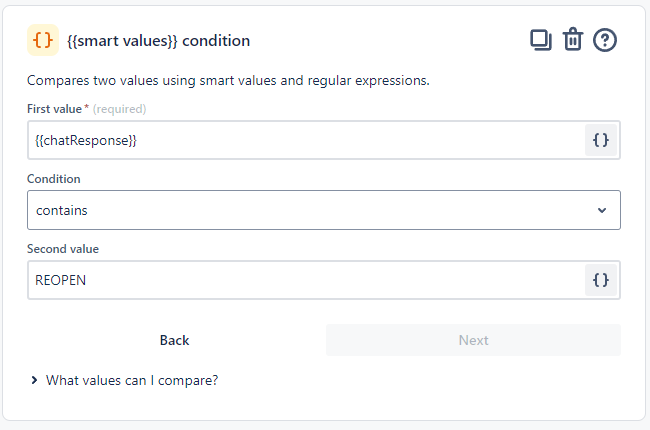
{{chatResponse}}. It will store the response ({{webResponse.body.choices.get(0).message.content}}) from the OpenAI that was logged in the previous step. - If: Compare two values – This is a conditional step that checks whether the
{{chatResponse}}variable contains the word “REOPEN.” - Then: Transition the issue to – If the condition above is true, the issue is transitioned to the “WAITING TRIAGE” status, which indicates that the issue needs to be reviewed or re-evaluated.
A few screenshots in case you need them:
Especially for the Web Request to OpenAI:
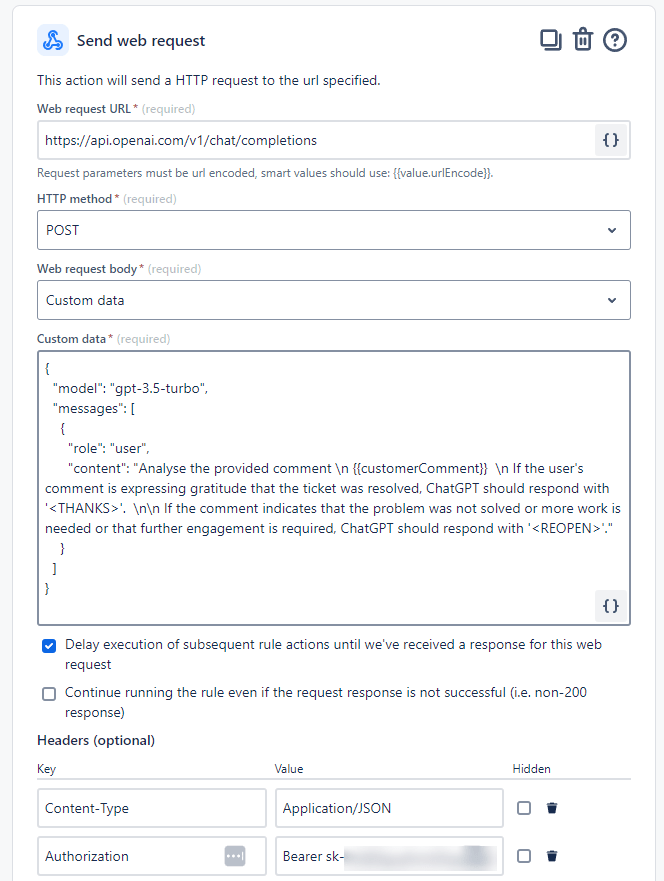
🚩 Don’t forget to hide the value of your Open AI API Key
The (simple) Prompt
{
  "model": "gpt-3.5-turbo",
  "messages": [
    {
      "role": "user",
      "content": "Analyse the provided comment \n {{customerComment}}  \n If the user's comment is expressing gratitude that the ticket was resolved, ChatGPT should respond with '<THANKS>'.  \n\n If the comment indicates that the problem was not solved or more work is needed or that further engagement is required, ChatGPT should respond with '<REOPEN>'."
    }
  ]
}
🦾 Automation and AI in Action 🧠
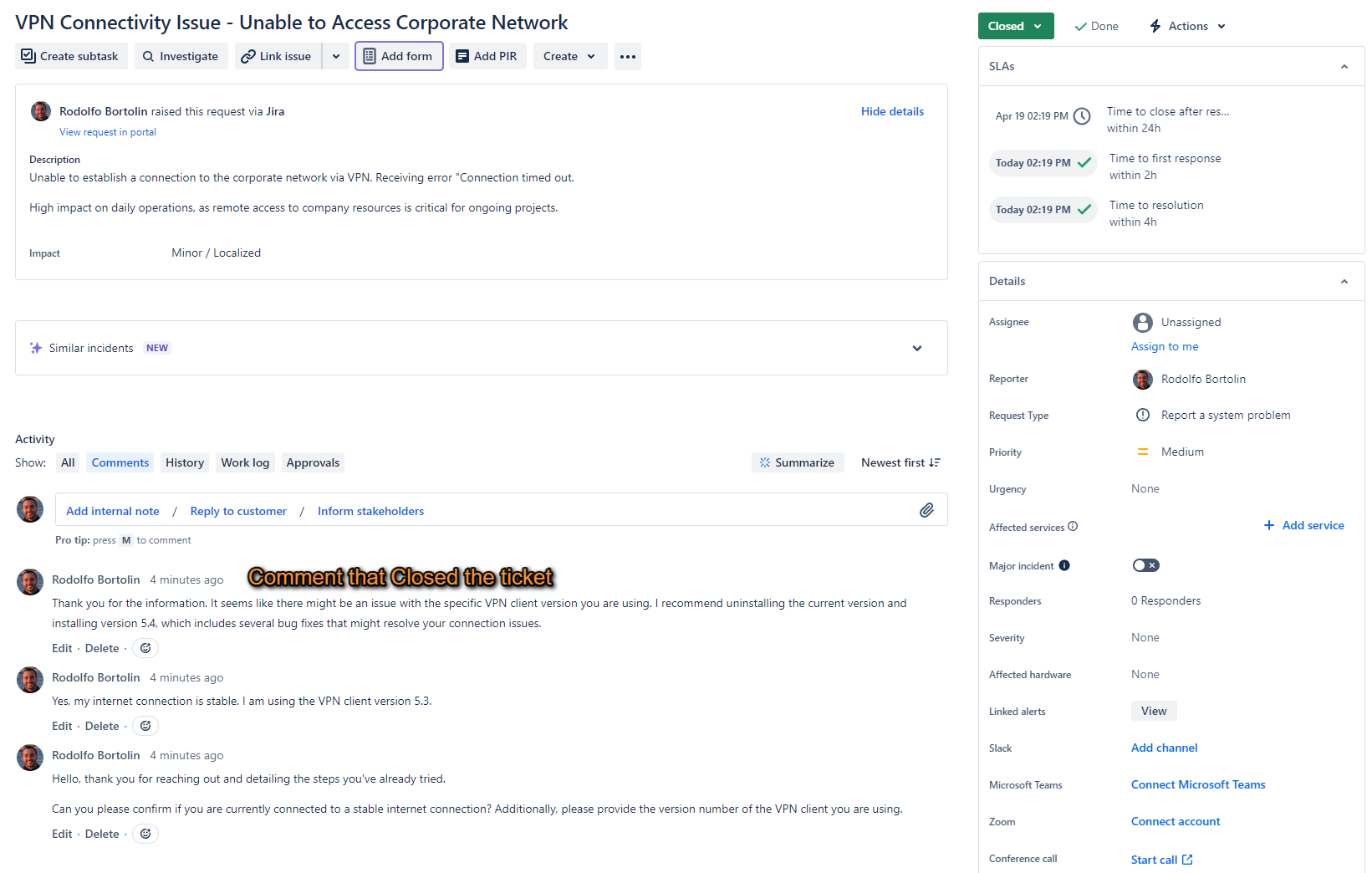
Step 1: Agent Resolves the ticket.
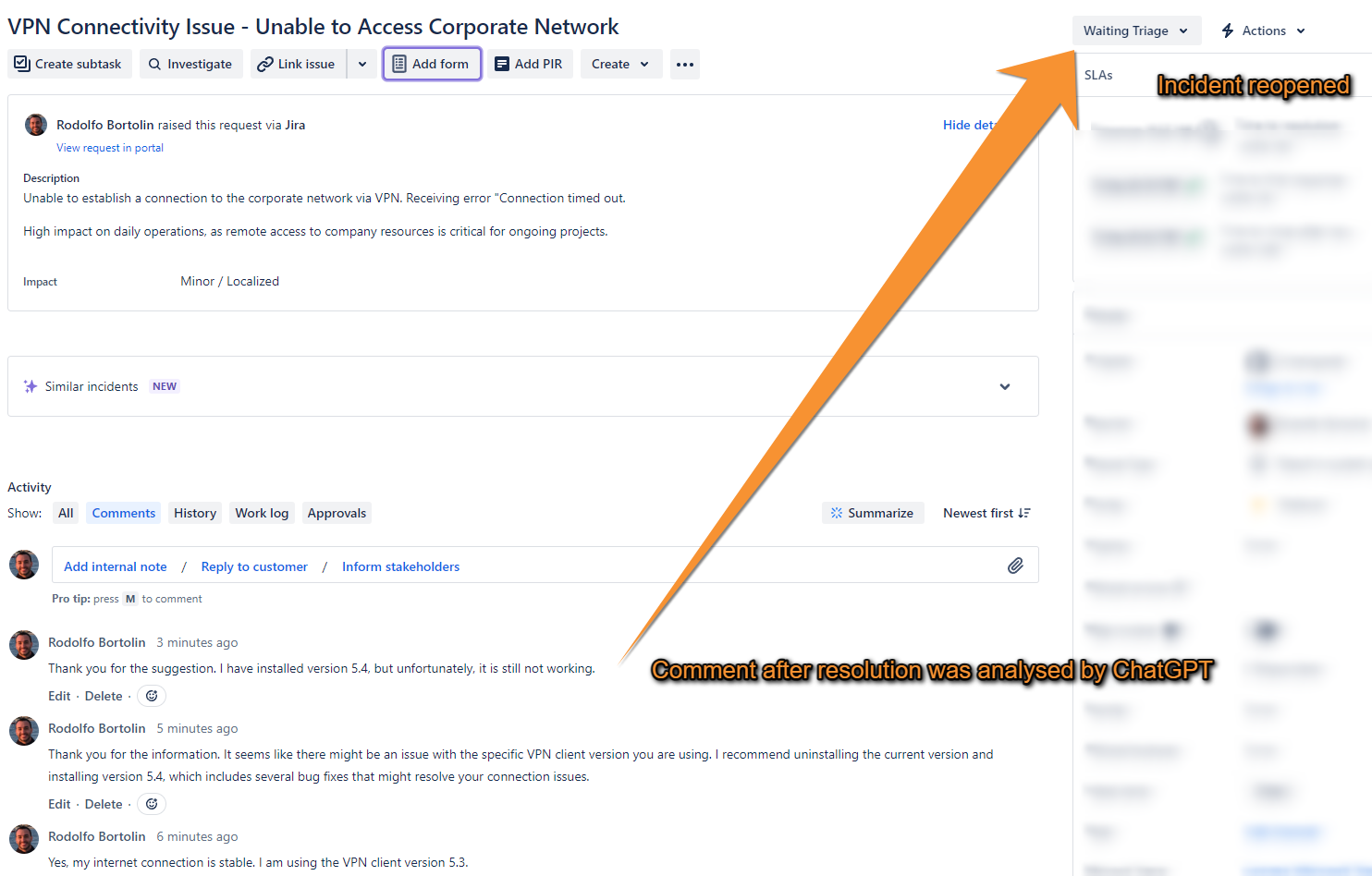
Step 2: Customer replies saying that it still not working, ChatGPT checks the comment and replies with REOPEN, Automation detects the string and Reopens the ticket.
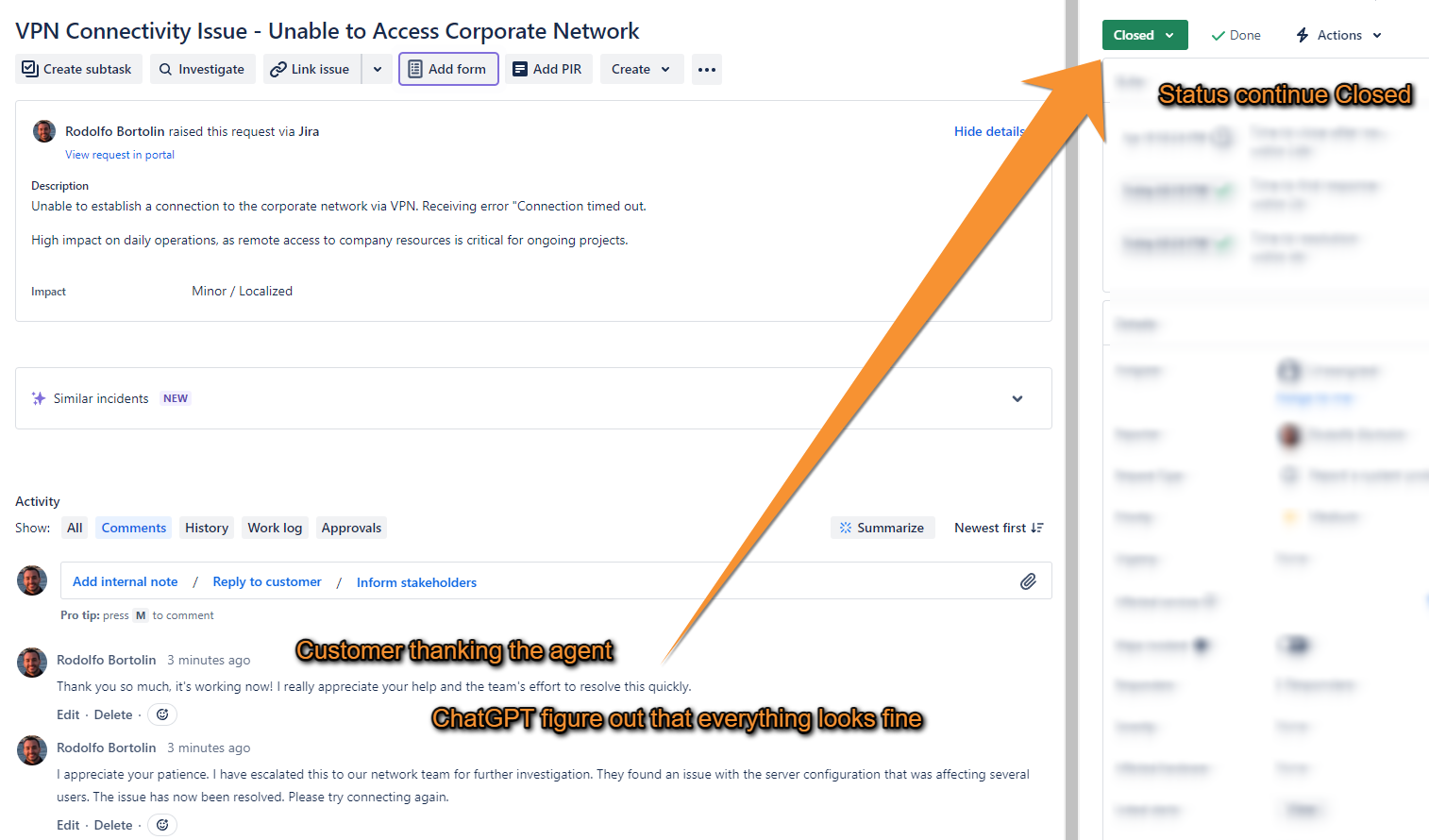
Step 3: Note that in the comment I made sure to thank as well, just to make it a bit harder for the artificial intelligence. But certainly it wouldn’t be a problem. The ticket remain closed as expected.
This solution exemplifies how AI can optimize your process by reducing unnecessary workload and focusing agents’ efforts where they’re genuinely needed.
 Atlassian Expert Tips