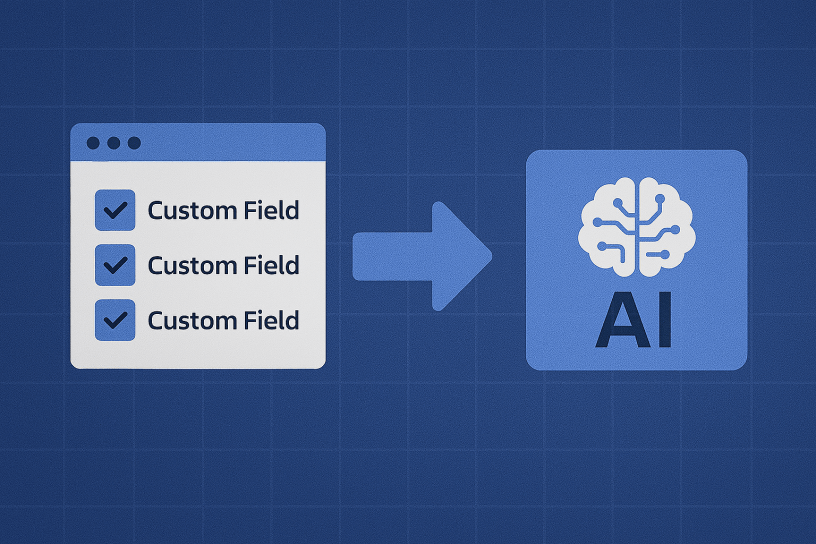
Managing custom fields in Jira can quickly become a complex task, especially as the number of fields increases over time. Many Jira instances accumulate duplicated fields that serve similar purposes, causing confusion and reducing efficiency. To address this issue, I’ve developed a script that helps identify and consolidate Jira custom fields, leveraging AI for optimal results. This blog post will guide you through the process of using the script to streamline your Jira environment.
Why Consolidate Custom Fields?
Over time, teams may create multiple fields that essentially serve the same purpose or capture similar data. This redundancy can lead to several challenges:
- Increased Maintenance Effort: Managing numerous fields that duplicate functionality is time-consuming.
- Performance Issues: An excessive number of fields can degrade Jira’s performance.
- User Confusion: Users may find it difficult to choose the correct field, leading to inconsistent data entry.
By consolidating redundant fields, you can simplify administration, enhance data integrity, and improve performance in your Jira environment.
The Script’s Functionality
This script is designed to assist in two key areas:
- Generating a JSON Export of Custom Fields: The script fetches all custom fields from your Jira instance and generates a JSON file containing details about each field, such as its name, type, contexts, and options.
- Analyzing the Fields for Consolidation Using AI: The script then uses OpenAI to analyze the JSON data and provide recommendations for consolidating fields that are similar in purpose or data type.
How to Use the Script
Step-by-Step Instructions
- Execute the Script: The script allows you to either generate a JSON export of all custom fields or analyze an existing JSON file for consolidation opportunities. When you run the script, you will be prompted to select an option:
- Select Option 1 to generate a JSON export of custom fields from Jira. This option will fetch all relevant field data and store it in a file named
custom_fields_simple_export.json. - Select Option 2 to analyze the existing JSON file for consolidation opportunities using AI. This option will send the JSON data to OpenAI, which will evaluate the fields and suggest consolidations.
- Select Option 1 to generate a JSON export of custom fields from Jira. This option will fetch all relevant field data and store it in a file named
- Run the Script: Copy and paste the script into your Python environment and run it. Follow the on-screen instructions to select the desired option and complete the task.
import requests
import logging
import json
from openai import OpenAI
from requests.auth import HTTPBasicAuth
from docx import Document

# Set up logging configuration
logging.basicConfig(level=logging.INFO, format='%(asctime)s - %(levelname)s: %(message)s')

JIRA_CONFIG = {
    'email': '',  # Replace with your email
    'token': '',  # Replace with your API token
    'base_url': 'https://domain.atlassian.net',  # Replace with your Jira base URL
}

# Constants
CUSTOM_FIELDS_ENDPOINT = '/rest/api/3/field/search'
FIELD_CONTEXTS_ENDPOINT = '/rest/api/3/field/{field_id}/context'
FIELD_OPTIONS_ENDPOINT = '/rest/api/3/field/{field_id}/context/{context_id}/option'
OUTPUT_JSON_FILENAME = 'custom_fields_simple_export.json'
DOCX_OUTPUT_FILENAME = 'custom_fields_evaluation.docx'
PAGE_SIZE = 50  # Number of results per page
FIELD_LIMIT = 1000  # If you want to limit the amount of custom fields (for testing, for example)
OPENAI_API_KEY = "sk-"  # Replace with your OpenAI API key
MODEL = "chatgpt-4o-latest" #This model have 16,384 tokens (in this case, the more, the better)

def fetch_custom_fields():
    """Fetch all custom fields from Jira."""
    logging.info('Starting to fetch up to 60 custom fields from Jira for testing...')
    fields = []
    start_at = 0

    while len(fields) < FIELD_LIMIT:
        logging.info(f"Fetching custom fields starting at index {start_at}...")
        response = requests.get(
            f"{JIRA_CONFIG['base_url']}{CUSTOM_FIELDS_ENDPOINT}",
            auth=HTTPBasicAuth(JIRA_CONFIG['email'], JIRA_CONFIG['token']),
            headers={"Accept": "application/json"},
            params={"startAt": start_at, "maxResults": PAGE_SIZE}
        )

        if response.status_code != 200:
            logging.error('Failed to fetch custom fields from Jira. Status Code: %s', response.status_code)
            break

        data = response.json()
        all_fields = data.get('values', [])

        # Log the number of fields fetched
        logging.info('Fetched %d fields from Jira.', len(all_fields))

        # Filter only fields that are custom fields (ID starts with 'customfield_')
        custom_fields = [field for field in all_fields if field.get('id', '').startswith('customfield_')]
        logging.info('Filtered %d custom fields from fetched fields.', len(custom_fields))

        fields.extend(custom_fields)

        if len(fields) >= data.get('total', 0) or len(fields) >= FIELD_LIMIT:
            logging.info('Reached the limit of custom fields to fetch for testing.')
            break

        start_at += PAGE_SIZE

    # Limit the fields to the first 60
    fields = fields[:FIELD_LIMIT]
    logging.info('Total custom fields fetched for testing: %d', len(fields))
    return fields

def fetch_field_contexts(field_id):
    """Fetch contexts for a specific field."""
    logging.info('Fetching contexts for field ID: %s...', field_id)
    response = requests.get(
        f"{JIRA_CONFIG['base_url']}{FIELD_CONTEXTS_ENDPOINT.format(field_id=field_id)}",
        auth=HTTPBasicAuth(JIRA_CONFIG['email'], JIRA_CONFIG['token']),
        headers={"Accept": "application/json"}
    )

    if response.status_code != 200:
        logging.error('Failed to fetch contexts for field %s. Status Code: %s', field_id, response.status_code)
        return []

    data = response.json()
    contexts = data.get('values', [])
    logging.info('Fetched %d contexts for field ID: %s.', len(contexts), field_id)
    return contexts

def fetch_field_options(field_id, context_id):
    """Fetch options for a specific context of a field."""
    logging.info('Fetching options for field ID: %s, context ID: %s...', field_id, context_id)
    response = requests.get(
        f"{JIRA_CONFIG['base_url']}{FIELD_OPTIONS_ENDPOINT.format(field_id=field_id, context_id=context_id)}",
        auth=HTTPBasicAuth(JIRA_CONFIG['email'], JIRA_CONFIG['token']),
        headers={"Accept": "application/json"}
    )

    if response.status_code != 200:
        logging.error('Failed to fetch options for field %s context %s. Status Code: %s', field_id, context_id, response.status_code)
        return []

    data = response.json()
    options = data.get('values', [])
    logging.info('Fetched %d options for field ID: %s, context ID: %s.', len(options), field_id, context_id)
    return options

def build_custom_field_export(fields):
    """Build the export structure for custom fields with their contexts and options."""
    export_data = {}

    for field in fields:
        field_name = field.get('name', '')
        field_id = field.get('id', '')
        field_type = field.get('schema', {}).get('custom', 'unknown')

        # Log the processing of each field
        logging.info('Processing field: %s (ID: %s, Type: %s)', field_name, field_id, field_type)

        # Initialize field entry with type only
        field_entry = {
            "type": field_type
        }

        # Fetch contexts and options if the field is a 'select' type
        if field_type == "com.atlassian.jira.plugin.system.customfieldtypes:select":
            contexts = fetch_field_contexts(field_id)
            if contexts:
                contexts_data = {}
                for context in contexts:
                    context_name = context.get('name', f"Context {context.get('id')}")
                    context_id = context.get('id')
                    options = fetch_field_options(field_id, context_id)
                    option_values = [option['value'] for option in options]
                    contexts_data[context_name] = {
                        "values": option_values
                    }
                # Only add contexts if they exist
                if contexts_data:
                    field_entry["contexts"] = contexts_data
                    logging.info('Added contexts for field: %s', field_name)
            else:
                logging.info('No contexts found for field: %s', field_name)

        # Add field entry to export data
        export_data[field_name] = field_entry

    return export_data

def write_to_json(export_data):
    """Write the export data to a JSON file."""
    with open(OUTPUT_JSON_FILENAME, 'w', encoding='utf-8') as json_file:
        json.dump(export_data, json_file, ensure_ascii=False, indent=4)

    logging.info('Custom fields data has been written to %s', OUTPUT_JSON_FILENAME)

def evaluate_custom_fields(custom_fields_json):
    """
    Evaluates custom fields to identify which fields can be consolidated
    based on their names, types, and options using OpenAI.

    Args:
        custom_fields_json (dict): The JSON data containing custom fields details.

    Returns:
        str: The evaluation result from OpenAI, suggesting which fields can be consolidated.
    """
    client = OpenAI(api_key=OPENAI_API_KEY)

    try:
        response = client.chat.completions.create(
            model=MODEL,
            messages = [
                {
                    "role": "system",
                    "content": "You are a Jira consultant specializing in evaluating custom fields for consolidation."
                },
                {
                    "role": "user",
                    "content": "Evaluate the following custom fields from Jira to identify which fields can be consolidated. Consider the field names, types, and options for consolidation. Only suggest consolidation for fields that seem to store the same information or are of similar type and purpose. You don't need to mention the fields that you don't think they require any consolidation. Here are some examples of consolidation suggestions to guide you:"
                },
                {
                    "role": "user",
                    "content": """
                    1. **Detected Date and Time**, **Detected Date/Time**, **Detected on Date**:
                    • - **Consolidation Suggestion**: These fields could be consolidated into a single "Detected Date/Time" field.

                    2. **Date Closed**, **Date Completed (When ticket closed)**:
                    • - **Consolidation Suggestion**: These fields could be consolidated into a single "Closed Date" field.

                    3. **Due date**, **Due Date 1**, **Due Date 2**, **Due Date (migrated)**:
                    • - **Consolidation Suggestion**: These fields could be consolidated into a single "Due Date" field.
                    """
                },
                {
                    "role": "assistant",
                    "content": "Ok"
                },
                {
                    "role": "user",
                    "content": f"Here is the JSON data: " + json.dumps(custom_fields_json, ensure_ascii=False, indent=4)
                }
            ],
            temperature=0.3,
            top_p=1,
            frequency_penalty=0,
            presence_penalty=0
        )

        return response.choices[0].message.content

    except Exception as e:
        logging.error(f"An error occurred while evaluating custom fields: {e}")
        return "An error occurred while processing the request."

def parse_markdown_to_docx(evaluation_text):
    """Parses markdown-like text to a more readable format for DOCX."""
    logging.info('Converting evaluation text to a readable DOCX format...')

    document = Document()
    lines = evaluation_text.splitlines()

    for line in lines:
        line = line.strip()
        if line.startswith('### '):
            document.add_heading(line[4:], level=3)
        elif line.startswith('1. '):
            document.add_paragraph(line, style='List Number')
        elif line.startswith('- '):
            document.add_paragraph(line, style='List Bullet')
        elif line.startswith('**') and line.endswith('**'):
            document.add_paragraph(line.strip('**'), style='Strong')
        else:
            document.add_paragraph(line)

    document.save(DOCX_OUTPUT_FILENAME)
    logging.info(f'Formatted evaluation result has been written to {DOCX_OUTPUT_FILENAME}')

def main():
    # Ask user for input: create JSON or analyze JSON
    choice = input("Do you want to (1) Create a new JSON from Jira custom fields or (2) Analyze an existing JSON file? Enter 1 or 2: ").strip()

    if choice == '1':
        # Fetch custom fields from Jira
        custom_fields = fetch_custom_fields()

        # Build the export data
        export_data = build_custom_field_export(custom_fields)

        # Write the export data to a JSON file
        write_to_json(export_data)
        print("JSON data has been created and saved.")

    elif choice == '2':
        # Load existing JSON data
        try:
            with open(OUTPUT_JSON_FILENAME, 'r', encoding='utf-8') as json_file:
                export_data = json.load(json_file)
                logging.info(f'Loaded JSON data from {OUTPUT_JSON_FILENAME}')
        except FileNotFoundError:
            logging.error(f"JSON file {OUTPUT_JSON_FILENAME} not found.")
            print(f"JSON file {OUTPUT_JSON_FILENAME} not found. Please create the JSON first.")
            return

        # Evaluate the custom fields for possible consolidation
        evaluation_result = evaluate_custom_fields(export_data)

        # Convert the evaluation result to a readable DOCX format
        parse_markdown_to_docx(evaluation_result)
        print("Evaluation Result for Custom Field Consolidation has been saved to DOCX.")

    else:
        print("Invalid input. Please enter 1 or 2.")

if __name__ == '__main__':
    main()
Example Output: Consolidated Custom Fields Document
To give you a better idea of what the final document looks like, here’s an excerpt from the .docx file generated by the script.
Based on the provided JSON data, here are some suggestions for consolidating custom fields in Jira:

1. **Upgrade Date Fields**
    • - **Fields**: `2012 Upgrade Date`, `2016 Upgrade Date`
    • - **Consolidation Suggestion**: These fields could be consolidated into a single "Upgrade Date" field with an additional custom field or label to specify the year if necessary.

2. **A3 Approver Fields**
    • - **Fields**: `A3 Approver`, `A3NEW - Director`, `A3NEW - RCA OWNER (Mgr)`
    • - **Consolidation Suggestion**: These fields could be consolidated into a single "Approver" field, with an additional custom field or label to specify the role (e.g., Director, RCA Owner).

3. **A3NEW - Why Fields**
    • - **Fields**: `A3NEW - Why 1`, `A3NEW - Why 2`, `A3NEW - Why 3`, `A3NEW - Why 4`, `A3NEW - Why 5`, `A3NEW - Why 6`, `A3NEW - Why 7`, `A3NEW - Why 8`, `A3NEW - Why 9`, `A3NEW - Why 10`
    • - **Consolidation Suggestion**: These fields could be consolidated into a single "Why Analysis" field, possibly as a multi-line text field or a list.

4. **Incident Date/Time Fields**
    • - **Fields**: `A3NEW - Incident End Date/Time:`, `A3NEW - Incident Start Date/Time:`
    • - **Consolidation Suggestion**: These fields could be consolidated into a single "Incident Date/Time Range" field, where both start and end times are captured.

5. **Acknowledged Date/Time Fields**
    • - **Fields**: `Acked Date/Time`, `Acknowledged Date and Time`
    • - **Consolidation Suggestion**: These fields could be consolidated into a single "Acknowledged Date/Time" field.

6. **Detected Date/Time Fields**
    • - **Fields**: `Detected Date and Time`, `Detected Date/Time`, `Detected on Date`
    • - **Consolidation Suggestion**: These fields could be consolidated into a single "Detected Date/Time" field.

7. **Date Closed Fields**
    • - **Fields**: `Date Closed`, `Date Completed (When ticket closed)`
    • - **Consolidation Suggestion**: These fields could be consolidated into a single "Closed Date" field.

8. **Due Date Fields**
    • - **Fields**: `Due date`, `Due Date 1`, `Due Date 2`, `Due Date (migrated)`
    • - **Consolidation Suggestion**: These fields could be consolidated into a single "Due Date" field.

9. **Resolution Date/Time Fields**
    • - **Fields**: `Resolved Date and Time`, `Resolved Date/Time`
    • - **Consolidation Suggestion**: These fields could be consolidated into a single "Resolved Date/Time" field.

10. **Incident Number Fields**
    • - **Fields**: `A3NEW - Incident Number`, `Incident Number`
    • - **Consolidation Suggestion**: These fields could be consolidated into a single "Incident Number" field.

11. **Root Cause Fields**
    • - **Fields**: `A3NEW - Root Cause Code`, `A3NEW - Root Cause Description:`, `Root Cause: Additional Information`, `Root cause (Free Text)`, `Root Cause (migrated)`
    • - **Consolidation Suggestion**: These fields could be consolidated into a single "Root Cause" field with sub-fields or labels to capture the code, description, and additional information.

12. **Approval Fields**
    • - **Fields**: `Approvers`, `Approvers (migrated)`, `Approvers (migrated 2)`
    • - **Consolidation Suggestion**: These fields could be consolidated into a single "Approvers" field.

13. **Impact Fields**
    • - **Fields**: `Impact`, `Impact (migrated)`, `Impact to Business`
    • - **Consolidation Suggestion**: These fields could be consolidated into a single "Impact" field with sub-fields or labels to capture different aspects of the impact.

14. **Severity Fields**
    • - **Fields**: `Severity`, `Severity (migrated)`, `Severity (migrated 2)`
    • - **Consolidation Suggestion**: These fields could be consolidated into a single "Severity" field.

15. **Resolution Type Fields**
    • - **Fields**: `Resolution Type`, `Resolution Type (migrated)`, `Resolution Type (migrated 2)`
    • - **Consolidation Suggestion**: These fields could be consolidated into a single "Resolution Type" field.

16. **Requestor Fields**
    • - **Fields**: `Requestor`, `Requestor (migrated)`, `Requestor Name`
    • - **Consolidation Suggestion**: These fields could be consolidated into a single "Requestor" field.

17. **Project Fields**
    • - **Fields**: `Project`, `Project Name`
    • - **Consolidation Suggestion**: These fields could be consolidated into a single "Project" field.

18. **Owner Fields**
    • - **Fields**: `Owner`, `Owner (migrated)`, `Owner (migrated 2)`, `Owner (migrated 3)`, `Owner (migrated 4)`
    • - **Consolidation Suggestion**: These fields could be consolidated into a single "Owner" field.

19. **Approval Fields**
    • - **Fields**: `Needs Approval: Bay`, `Needs Approval: Off5th`, `Needs Approval: Customer`
    • - **Consolidation Suggestion**: These fields could be consolidated into a single "Needs Approval" field with a dropdown or multi-select to specify the relevant entities (Bay, Off5th, Customer).

20. **Approval Status Fields**
    • - **Fields**: `Bay Approval`, `Off5th Approval`, `Customer Approval`
    • - **Consolidation Suggestion**: These fields could be consolidated into a single "Approval Status" field with a dropdown or multi-select to specify the relevant entities (Bay, Off5th, Customer).

These suggestions aim to reduce redundancy and improve the manageability of custom fields in Jira.
Benefits of Using This Script
- Automated Analysis: The script automates the process of identifying redundant fields, significantly reducing the manual effort involved.
- Enhanced Data Consistency: Consolidating fields ensures a consistent approach to data management across your Jira instance.
- Performance Optimization: Reducing the number of redundant custom fields can improve the overall performance of Jira.
- Clear, Actionable Insights: The AI-generated recommendations provide clear guidance on which fields can be consolidated, making it easier to clean up your Jira environment.
Conclusion
Consolidating custom fields in Jira is crucial for maintaining an efficient and user-friendly environment. By using this script, you can leverage AI to streamline the process of identifying and consolidating redundant fields. Simply run the script, choose the appropriate option, and let AI provide you with actionable recommendations for optimizing your Jira setup.
 Atlassian Expert Tips